
Showing posts with label Droid. Show all posts

Wednesday, October 12, 2011

Toshiba Thrive Tablet


About a week ago I was able to get a Toshiba Thrive Tablet at a very good deal. Thanks Toshiba and She's Connected Conference!

Since I have had it for about a week now I thought I would post some of my favourite apps on it and my most used apps on it. Sometimes my favourites are not my most used.

Favourite Apps:
  1. TweetDeck
  2. The Weather Channel
  3. Google Reader
  4. Advanced Task Killer
  5. ScoreMobile
  6. NFL'11
  7. Aldiko
Most used Apps:
  1. TweetDeck
  2. Twitter
  3. Aldiko
  4. MyFitnessPal
  5. Email
  6. Gmail
  7. Calendar
  8. AdvancedTaskKiller
  9. Foursquare
If you have a favourite android app please share it with me so I can check it out and see how I like it too!

Friday, August 26, 2011

App Review: Handcent SMS

The Handcent app for your Android phone is perfect for the person who's bored to death by Android's texting platform. The enhanced SMS (short messaging service) and MMS (multimedia messaging service) allow users to completely customize their messaging experience.


This app gives you a lot of options when it comes to changing the look and feel of your phone's messaging function. With Handcent, you can put your conversation in a more aesthetically pleasing bubble design, change the color of the font and background, alter the font style, and choose whether or not you'd like to see your contact's assigned photo next to his or her name.


When you open Handcent on your phone, you see a list of your contacts, which Handcent has borrowed from Android's contact manager. You can choose an existing contact or hit a button at the top of the screen to start a messaging session with a new contact.


After choosing a contact to message with, you see a screen containing the message stream from your most recent previous messaging session with that contact. You simply begin messaging and continue the stream. The interface includes a phone button at the top of each messaging screen, in case you decide to bail out of the messaging session and call the person.


My favourite part of handcent is all the personalizing I can do with it. Changing the colour background to my favourite colour and having texting bubbles come in with pictures and defined colours by me. I will say that choosing your colour can be a bit of a task if you are not familiar with photo programs as you have to mix your own colour in order to personalize your phone.


I have customized my message alert to only show in the taskbar of my phone. For those not on unlimited text plans you can also keep a running told of messages you have sent in a month and ask it to restart at the beginning of every month.


The main reason I downloaded handcent was because I was having a problem sending multimedia files using the messanger that came with my phone. After some research online many of the people mentioned that to correct this problem they just downloaded handcent a free messaging program for android platforms. So off to the market I went to download handcent once I downloaded it I remember a friend (thanks Heather T) mentioning that she used handcent and preferred it.


The app integrates with your phone's camera and image-view system to attach a photo (just-taken or in memory) to a message. Once you've attached it, the image shows up as a thumbnail in a new bubble in your conversation stream.


Even though I have very limited use of this app I would have to say out of the ones I have tried this one wins hands down. I would highly recommend this app to all text users!

Saturday, August 6, 2011

Apps I use most on my android cellphone

Thought I would share some of the apps I use the most on my phone.

aCar - keeps track of how much I spend on gas as well as maintenance to my vehicle.

Maps - great for finding places to eat when we are in a new city or just finding our way to different stores, etc.

Mobisle Notes - great for note taking for meetings, to do lists, etc.

Aldiko - ereader for reading the many books I read on my phone and tablet. I love to read and when I am picking up my children from various locations I can just read while I am waiting for them.

Bible(You Version) - again to read while on the go.. so so so convenient!

TweetDeck - merges together Twitter and Facebook... which I love now if it added Google+ that would be awesome!

Skyfire - the browser I choose to use for viewing anything online.

Google Sky Maps - shows the constellations every night

Advanced Task Killer - kills tasks that use up my resources I always use this

Calendar - keeps my organized as to what is going on in my life.

Alarm Clock - to wake me up! :)

Apps Organizer - organizes all my apps in to various folders making everything look a whole lot neater and not so clutter.

Monday, May 16, 2011

My android phone


I have decided to dock my droid phone beside my bed. I like being able to set up multiple alarms for morning. The desktop lights up to show the weather and with one click I have access to my schedule for the day which really is the most convenient thing for me. Not to mention having access to my email, twitter and facebook accounts.

My android phone gets used hard in a day between texting up dating social media. Listening to pod casts, music and keeping on schedule with tasks and to do lists. Not sure how I would get along without it.

Thursday, July 29, 2010

Geocaching.... on Thursday...

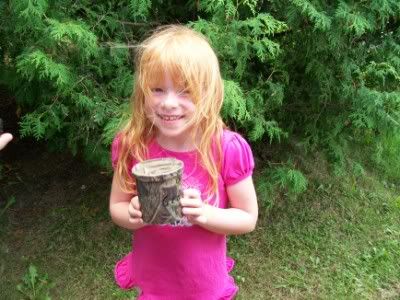
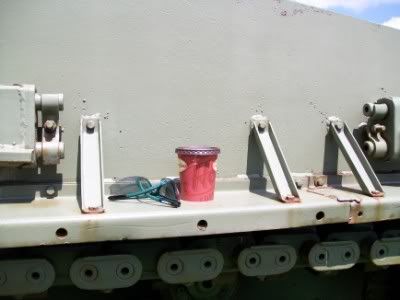
We went out geocaching two days in a row this week.... did I ever mention how much we really like geocaching.

For some questions I get from time to time....

What is geocaching?


We use our GPS mobile phone for our geocaching fun with the application on my LG eve android smartphone. It works like a charm for us.


Of course as in usual fashion littest brownie found the first cache of the day!


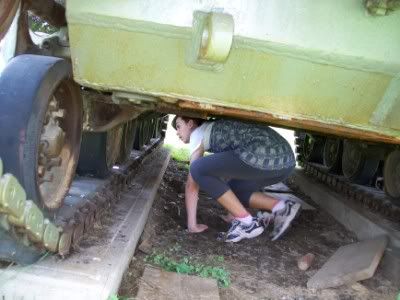
Back to the Armed and Dangerous Cache
still can`t find it! But not giving up at all!


One of the necessities of geocaching!
Timmies and sunglasses